I think Particls just changed my life. I’ve replaced my Microsoft Windows Vista Sidebar with this new version of Particls. Having Particls watch the web for me keeps me on-the-ball, more than caffeine. Well, almost.
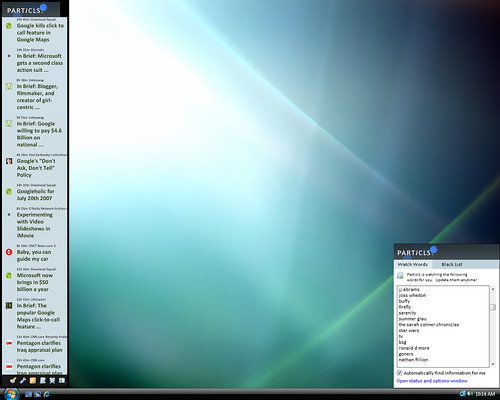
Having interviewed Chris and Ashley from Particls, and visited their lair in Brisvegas, I knew these guys where onto something.
Upon returning from my 2 weeks off work on holiday, I had a couple of thousand feed items all demanding my instant attention. Holidays are a mechanism for adjusting your personal APML. Along with two cats and a bag full of washing: it was difficult to prioritize what was/was not important.
Chris Saad let me into their secret: a new Sidebar-focused version of Particls
Feeding the mountain through Particls, the important stuff popped onto the top.
Living my working life online in the intarwebs, it is way too easy to lose those nuggets and jewels in the streams and tubes.
Why turn off the Vista Sidebar? On my laptop, screen real-estate is precious, and what is most important needs to be flowing in front of me to grab my attention. My eyes move focus to movement (think hunter, not gatherer) – and with Particls ‘moving’ items as they flow in, it grabs my attention.
Gadgets that I have used in Vista have been static information; or at least something that I am happy to view once per hour or so.
So, these static pieces of information can stay in Internet Explorer as favourites, Windows Live, and therefore in online services.
Particls is no gadget. It is now a must-have desktop application with the screen space it deserves.
Gah! I’ve stripped all notifications systems. I don’t want to know now. I want to know later, when I have time, in context.
I loved being ‘on top’ of everything. Finger on the pulse etc. But I can’t get stuff done that way. My life is oriented towards dedicated chunks of focus now. Notifications systems are teh evil!
Dude– different jobs, different tools. I like how I can tune this Paricls into the “themes of the week” –Nick
Oh, for sure. I just hate silly expressions like YMMV. I pretty much consider that self-evident
The Parcils toolbar seems quite cool. I like the idea of content just flowing through a toolbar. I’ll give a try.